
Instructor: Bill Bennett, MCSE, MCP, CCNA, CIW
Office: Room 655 (in Multimedia building on the Menifee campus) Office Phone: 672-6752 ext. 2705
Email: BBennett@msjc.edu
Website: http://cis.msjc.edu/instructors/Bill_Bennett
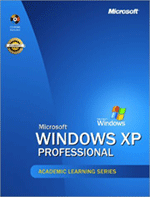
Text: ALS Microsoft Windows XP Professional; ISBN 0735615438
Class Dates: October 18, 2005– December 13, 2005.
A. Demonstrate the ability to apply knowledge of installation methods by relating to typical client installation scenarios.
B. Demonstrate the ability to combine concepts, principles, and generalizations about files, folders, printers, and file systems by designing a strategy for administration of client operating system resources.
C. Demonstrate the ability to implement, manage, monitor, and troubleshoot hardware devices and drivers by creating procedures to manage hard disks, removable media, power configuration, input/output devices, and multiprocessors.
D. Demonstrate the ability to monitor and optimize system performance and reliability by setting up memory, processor, disks, applications, scheduled tasks, mobile devices, and backup operations.
E. Demonstrate the ability to configure and trouble shoot the desktop environment to include user profiles, desktop settings, multiple-language support, and support for multiple locations.
F. Demonstrate the ability to make a judgment on the effectiveness of windows core services and protocols by appraising the implementation of TCP/IP, dialup-up networking, Internet Explorer, Internet Information Systems, Remote Desktop, and Internet Connection Firewall.
G. Demonstrate the ability to configure, manage, and troubleshoot security to include the File Encryption System, a local security policy, user and group accounts, and Internet Explorer security settings.
Chapter # |
Chapter Title |
Assignments* |
Syllabus/Introductions |
|
|
1 |
Introduction to Windows XP Professional |
Submit 5 questions for chapter 1 |
2 |
Installing Windows XP Professional |
Submit 5 questions for chapter 2 |
3 |
Deploying Windows XP Professional |
Submit 5 questions for chapter 3 |
4 |
Modifying & Troubleshooting the Startup Process |
Submit 5 questions for chapter 4 |
5 |
Configuring Windows XP Professional |
Submit 5 questions for chapter 5 |
6 |
Installing, Managing, and Troubleshooting Hardware Devices and Drivers |
Submit 5 questions for chapter 6 |
7 |
Setting Up & Managing User Accounts |
Submit 5 questions for chapter 7 |
8 |
Securing Resources with NTFS Permissions |
Submit 5 questions for chapter 8 |
9 |
Administering Shared Folders |
Submit 5 questions for chapter 9 |
10 |
Managing Data Storage |
Submit 5 questions for chapter 10 |
11 |
Setting Up, Configuring, & Troubleshooting Printers |
Submit 5 questions for chapter 11 |
12 |
Managing Printers & Documents |
Submit 5 questions for chapter 12 |
13 |
Supporting TCP/IP |
Submit 5 questions for chapter 13 |
14 |
Overview of Active Directory Service |
Submit 5 questions for chapter 14 |
15 |
Configuring Network & Internet Connections |
Submit 5 questions for chapter 15 |
16 |
Configuring Security Settings and Internet Settings |
Submit 5 questions for chapter 16 |
18 |
Using Windows XP Tools |
Submit 5 questions for chapter 18 |
20 |
Backing Up and Restoring Data |
Submit 5 questions for chapter 20 |
Course Review |
FINAL EXAM |
* Submission will be accepted in: ASCII text, RTF, MS Word, or HTML formats.
| 15 Quizzes.....................................1500 pts. | 15 Q&A Assignments....................1500 pts. |
| 15 Labs.........................................1500 pts. |
The Chapter Quizzes are timed and you only have ONE opportunity to take and complete any quiz. So be sure you're ready before clicking to start a quiz. Chapter Quizzes are found by clicking on “Quizzes”.
There are NO food or drinks allowed in the classroom.
As always if you have any questions please email me: BBennett@msjc.edu and be sure to add subject: NET 120, so that you won't get lost amongst my spam mail..